
As the latest up-and-coming, free-to-play title from the iconic developer, Valve, playing Deadlock for the first time feels surreal. It’s half third-person hero shooter, half Multiplayer Online Battle Arena (MOBA), and 100% awesome. If you want to get into Deadlock, we’ve summoned an ultimate guide for beginners.
Table of Contents
Let’s start with the gameplay basics and how to gain access to Deadlock. Next, we’ll move on to the intricate map, followed by mid-game progression and tactics, before discussing item building, objectives, advanced concepts, and tactics.
Important note: At the time of writing, Deadlock is in active development. Gameplay mechanics, hero and item details, as well as any other aspect of the game, are subject to change.
Deadlock Gameplay Basics for Beginners
Developer Valve has combined the intricate tactical nature of MOBAs like Dota 2 or League of Legends with the action-oriented gameplay of hero shooters like Overwatch to create something unique and highly engaging.
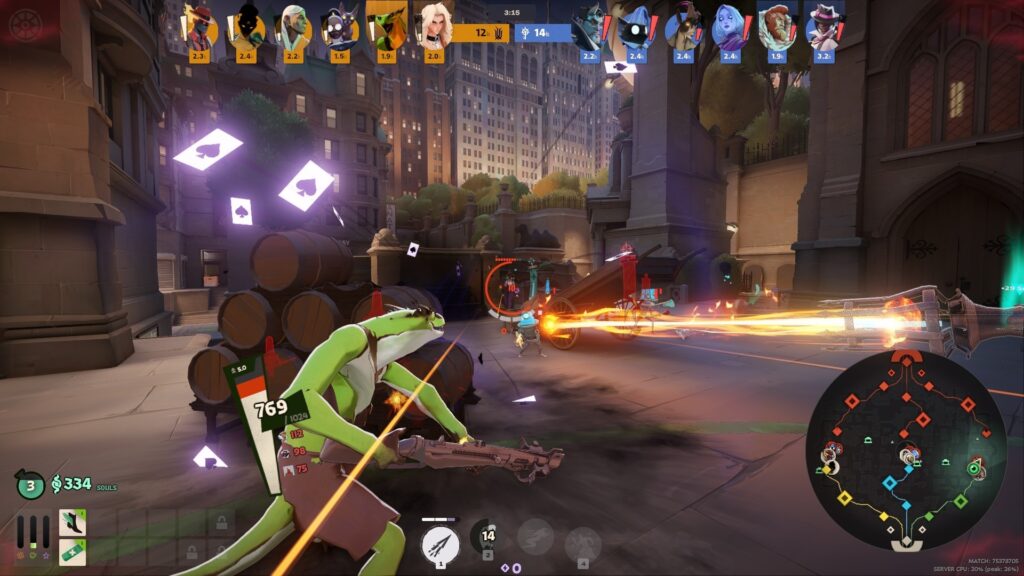
A regular match of Deadlock is played in a 6v6 format, with players first choosing their heroes. The game takes place on a sizable map (The Cursed Apple) with three lanes. Unlike what many guides on the internet will still tell you, there are three lanes in the regular Deadlock map, not four. This change was made in early 2025.
Troopers (minions) spawn in each lane for each side. Players earn Souls to purchase in-game items and level up by killing Troopers, enemy heroes, and bigger objectives such as Guardians, Walkers, or neutral enemies called Denizens.
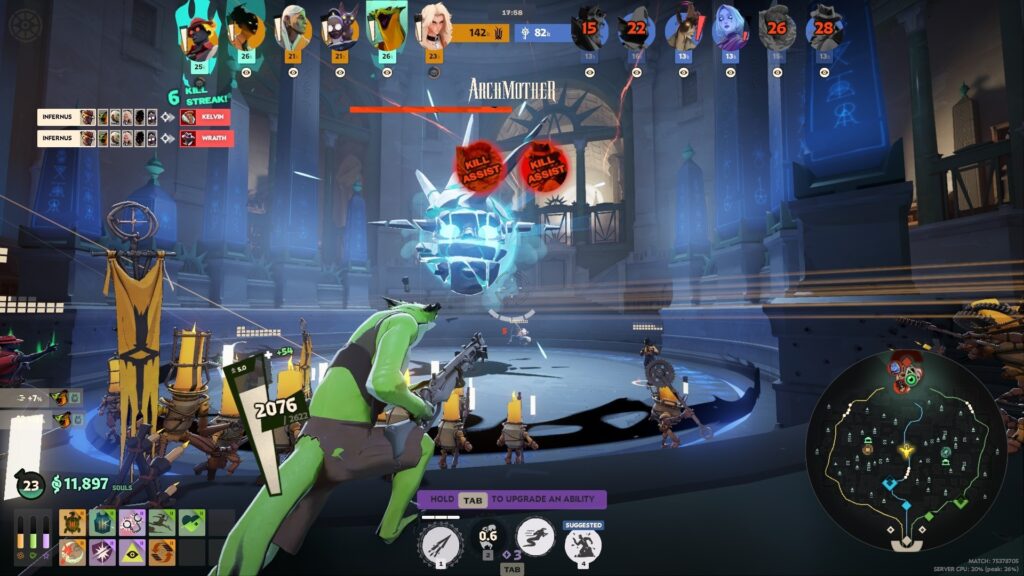
The ultimate goal is to destroy the enemy team’s Patron, a large extraplanar deity. On the one side, there’s The Hidden King, and on the other, there’s The Archmother. You must push lanes as a team, earn and spend Souls, destroy enemy structures, and slay a deity at the end of a Deadlock match.
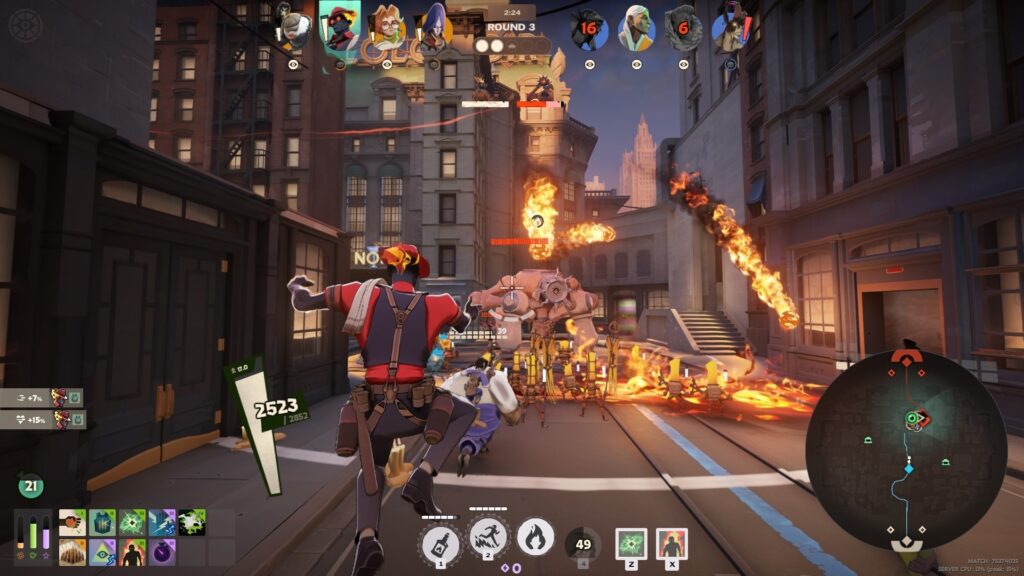
In early 2026, developer Valve added a 4v4 Street Brawl mode. It’s a faster-paced game mode where the first team to three points wins. A point is scored by defeating an enemy Walker. After each round, players can pick three items from a random set. There’s no farming, just action, taking place in a single lane, akin to ARAM in Dota 2.
Practice Options & Beginner Heroes
Before you jump into multiplayer, Deadlock has quite a few options available to hone your skills via practice.
- Sandbox Mode: In Sandbox Mode, you can freely test hero abilities, item builds, and movement to your heart’s content. There are also testing tools available. Press the Tab key, and you’ll see a bunch of options, from changing hero to leveling up, spawning enemies, and speeding up the game.
- Explore NYC: Use this mode to test your movement skills. It’s the complete Deadlock map, so go ahead and see how quickly you can get from one point to another with ziplines, find those teleporters, shops, and great angles to shoot from.
- Bot Match: Learn the ins and outs of a regular Deadlock match by playing with and against bots. Perfect if you want to practice an entire match. There are three difficulty levels (Easy, Medium, and Hard) to try.
- Street Brawl (Bots): The previously mentioned fast-paced game mode against bots is a good way to practice your aim against moving targets.
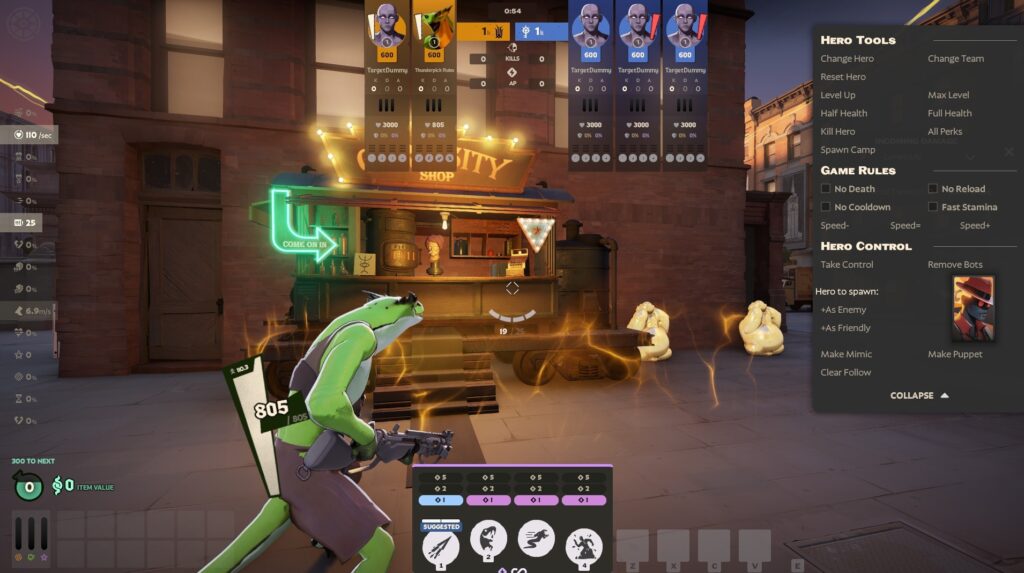
It’s best to start with a beginner-friendly hero such as Infernus, Mina, Seven, Graves, or our personal favorite, the poisonous Vyper, who clearly takes inspiration from Dota 2’s terrifying green monstrosity, Viper.
Each hero has its own set of unique abilities and an ultimate, balancing strengths and weaknesses. As of April 2026, the roster of heroes in Deadlock stands at 38 and continues to grow. Try as many as you can, and find the perfect fit for your gameplay style.
How To Get Deadlock & PC Requirements
The game is currently in an invite-only, limited-access Playtesting phase, so you may want to ask your friends who you see playing Deadlock. It’s the easiest way to quickly receive an invite and join the fight set in a gothic, 1940’s New York.
If you have no friends playing Deadlock, you can and should join the Deadlock community on Steam, where there are regular (nearly daily) threads offering up invites.
PC System Requirements For Deadlock
There are no official PC system requirements for Deadlock. However, after numerous hours of testing and research, we can confidently say that the barrier of access is quite low. Windows 10 (or later) is required with a 64-bit processor. From there, you could run Deadlock with the following setup:
Minimum Recommended AMD Requirements
- GPU: NVIDIA GeForce GTX 960
- CPU: AMD Ryzen 5 1400
- RAM: 8GB
Install Deadlock on an SSD to avoid performance issues. For a smooth gameplay experience, you’ll need the following hardware:
Recommended Minimum Intel Requirements
- GPU: NVIDIA GeForce RTX 3060
- CPU: Intel Core i7-10700E
- RAM: 16GB
Deadlock weighs in at roughly 34GB, but when you consider that the game uses temporary art and more content is on the way, the install size could eventually pass 50GB.
You can also visit the game’s official Steam Store page and add it to your Steam Wishlist. Valve will notify gamers when Deadlock becomes available.
Check out our complete guide on how to join the Deadlock playtest as soon as possible.
How To Play Deadlock with friends
Gamers who have access to Deadlock can invite their friends. Simply launch the game via your Steam Library. Once the game loads, press the ESC key, and you’ll notice a UI with your Steam friends’ list pop up.
On the bottom-right side of your screen, there’s an unmissable “Invite A Friend” button. Click on it, and a list of your Steam friends will appear. Click on the names of the people you’d like to invite to play Deadlock.
Valve will send invites to the selected players “within 1–2 days,” and does warn that invitations might take a bit longer. From our experience, invites haven’t taken longer than 24 hours.
Deadlock On Steam Deck
Deadlock works on Valve’s handheld device, the Steam Deck. While it isn’t really optimized at the time of writing, Deadlock boots up and runs decently well. If you turn down the graphics and limit it to 30 FPS, you can play Deadlock for nearly 2 hours before needing a charge.
Deadlock Game Objectives & Map Features
Deadlock’s map is called The Cursed Apple, a gothic version of Lower Manhattan and Midtown in New York City. It’s divided into three, color-coded lanes, namely:
- York (Yellow)
- Broadway (Blue aka midlane)
- Park (Green)
There are many alleyways and buildings surrounding these lanes, some of which contain Golden Statues (destroy for permanent stat buffs), Crates, Denizens (neutral creeps), and tunnels (Juke Rooms) where you can attempt to evade enemies.
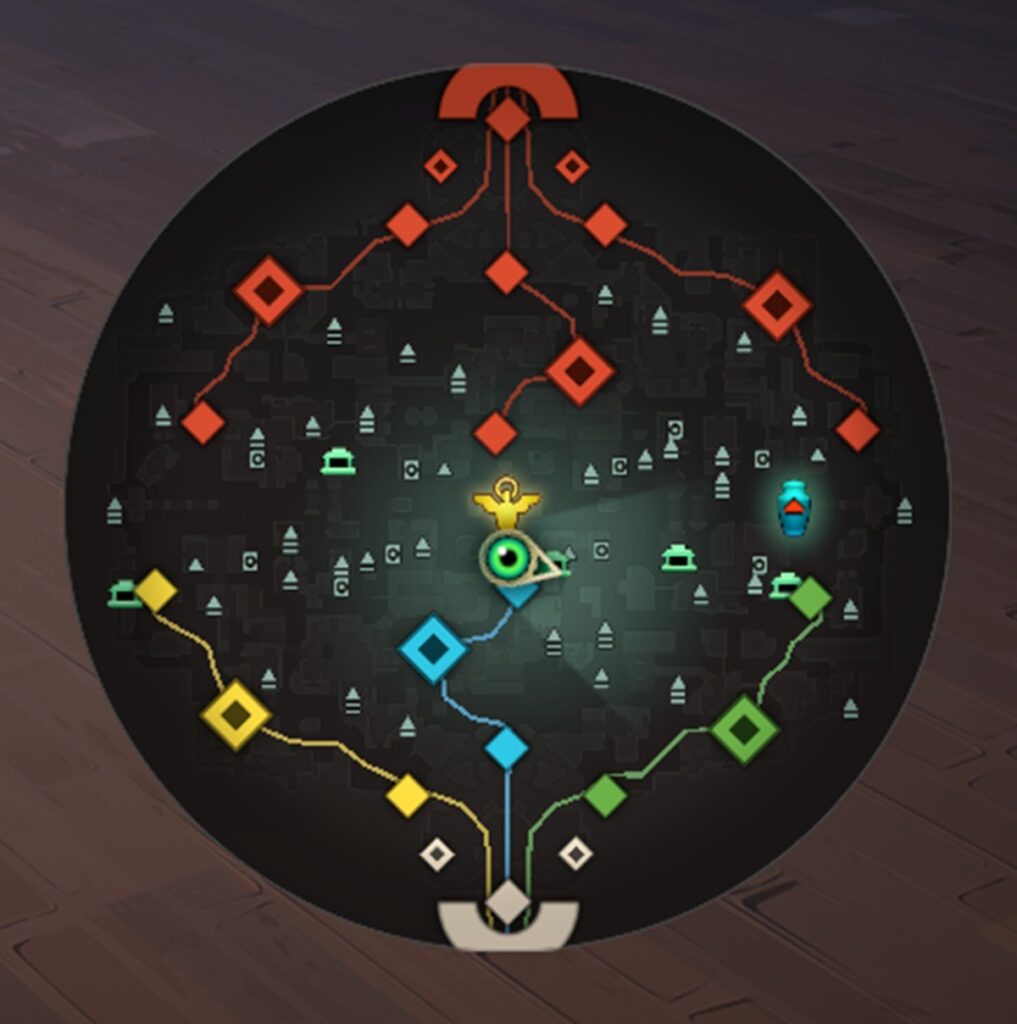
You’ll spawn in your team’s base, and notice three ziplines, taking you to the three lanes when used. These are color-coded, so it’s easy to know which one to take. Just look at a zipline, now press and hold the jump button (spacebar), and you are off. Players can also use a zipline boost by pressing the F key if they need to get to their destination ASAP, but there’s a cooldown, so use it wisely.
Another way to get around quickly is to use one of the underground teleporters next to the Secret Shops. The teleporters take four seconds to activate, allowing you to travel horizontally through the map to a different lane.
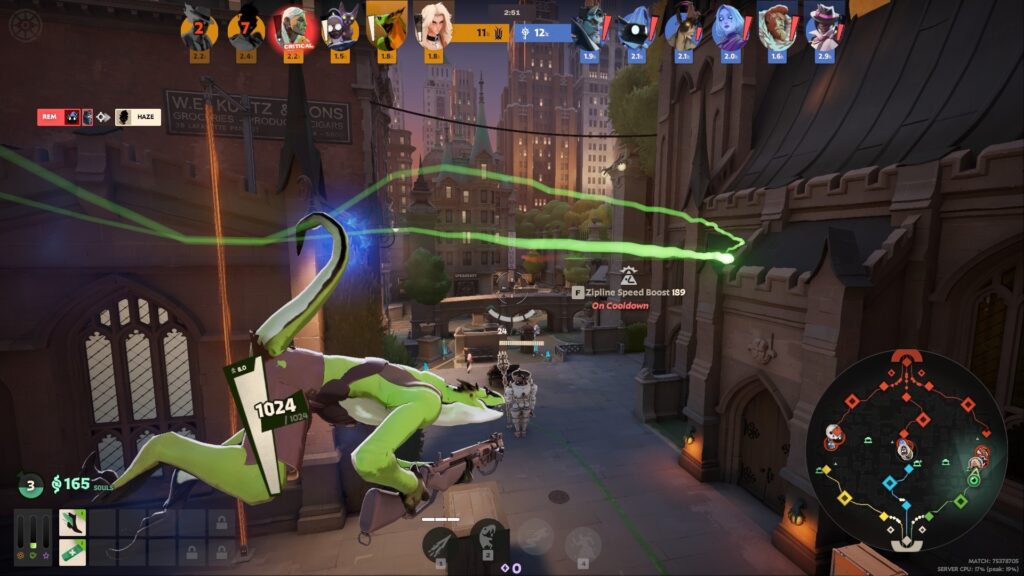
You’ll notice how Troopers move in waves through each lane. Players must assist these Troopers in pushing objectives and kill enemy Troopers to earn Souls and level up.
Vital Objectives In A Deadlock Match
There are several objectives to work your way through to win a standard Deadlock match. We’ve listed all the vital Deadlock objectives you’ll find on the sprawling map.
- Guardians: Defensive, statue-like structures that deal heavy fire damage. There’s one per lane for each side, functioning as your first objective to destroy.
- Walkers: These four-legged automatrons function as the 2nd objectives. Each side has three Walkers, one per lane. They have powerful disk weapons and are stationary, so you must move into range to damage them.
- Base Guardians: These final objectives before entering the heart of the enemy base come in pairs. Alone, they are weaker than the first Guardians, but together, they pose a significant threat with their laser-like attacks.
- Shrines: Before you can damage the Patron, your team must destroy the two Shrines located inside the heart of the enemy base. These are defensive structures that protect the Patron from harm.
- Patron: Once the Shrines go down, the Patron becomes vulnerable. These are the final bosses, with heaps of damage-dealing capabilities. Destroy the enemy Patron, and victory is yours. On one side of the map, there’s The Hidden King, and on the other, there’s The Archmother.
Scattered throughout the map, there are also neutral Denizens camps to destroy, which respawn with tougher versions throughout the game.
Mid-Game Tactics & Progression In Deadlock
A steady flow of progression is key to winning a Deadlock match. It all comes down to coordinating with your team, farming Souls, and employing solid mid-game tactics to push lanes and claim key objectives.
Farming Souls & Upgrading Items
The easiest way to farm Souls in Deadlock is to stay in a lane as long as possible, last-hitting enemy Troopers, and clearing “jungle camps,” aka the neutral Denizens, when they spawn.
Souls from lane farming are secured, while jungle and crate Souls are unsecured and can be dropped on death. That’s why you should remain cautious after killing a bunch of Denizens and spend your Souls at the in-game shops. Note that if your Guardian in a lane falls, the lane shops will close.
Another way to get a bunch of Souls quickly is by picking up and carrying Soul Urns (spawns 10 minutes into a match) to transport to an Altar site. If successful, you’ll earn an ability point, alongside over 4,000 Souls.
Be on the lookout for Crates to destroy, yielding more Souls. Players can also drop unsecured Souls when slain, so watch out for Urns that you can pick up to gain those lost Souls. There are also Golden Statues to destroy for permanent stat increases, such as Max Health +15 or Max Ammo 3%.
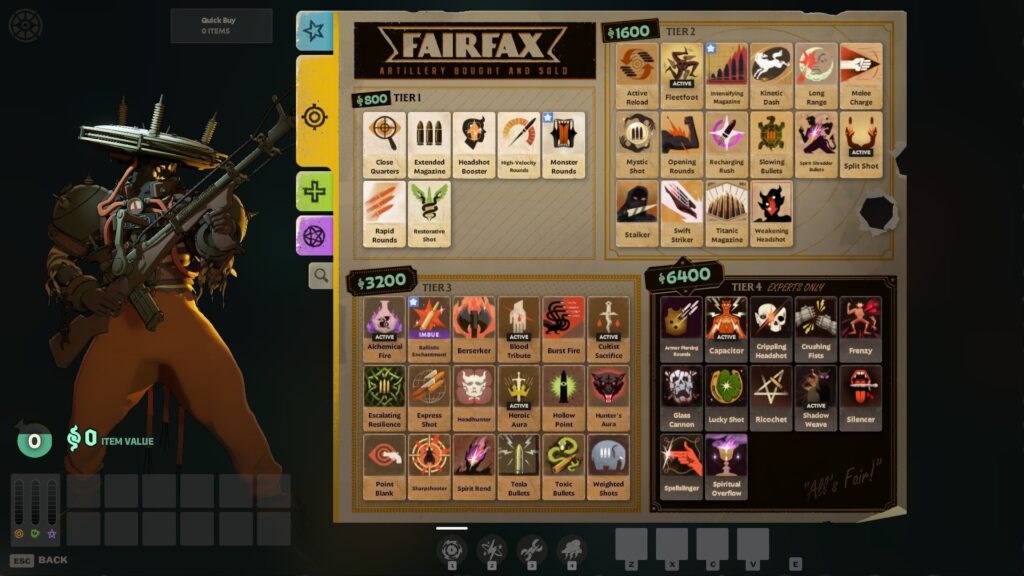
You can spend your hard-earned Souls by purchasing items via the item shop in spawn, the lane shop, or the underground secret shops.
For beginners, there are in-game suggested item builds to try out before branching into more unique builds. Always consider your current situation while purchasing items. Do you need more Spirit to cast abilities? Do you need better Health Regen, damage, or ammo capacity? Purchase items (and upgrade them) according to your needs.
Items come in three different types, namely:
- Weapon: Focuses on bullet effects, damage, and improving your base weapons.
- Spirit: Focuses on increased Spirit power and improving abilities.
- Vitality: Focuses on defense and movement.
Items are split into four tiers based on their price. Every item has one or more passive bonuses, and some feature an ability with a cooldown you must activate to use. There are over 150 items currently in Deadlock, and the total increases often during development.
One of our favorite items to get first is Sprint Boots (Vitality item), which you can upgrade to Enduring Speed and later Juggernaut. These boots increase movement and resistance, and, when upgraded, cause enemies that shoot you to suffer a slower firing rate debuff.
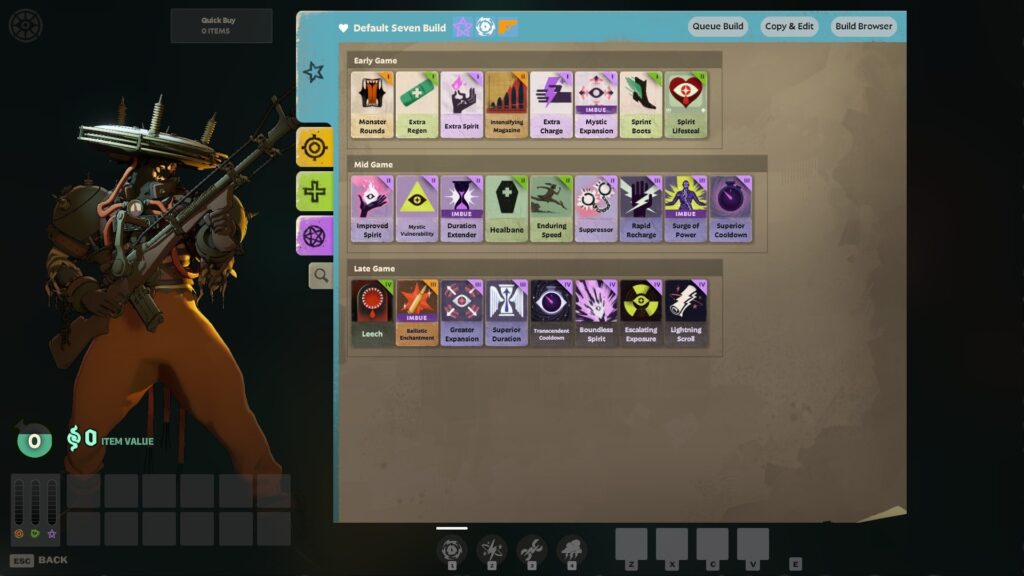
Your team can unlock an additional three item slots by killing Walkers. These are called Flex Slots. Choose your items wisely, since you only get a 50% refund when selling back to the shop.
Pushing Lanes & Taking Key Objectives
Pushing lanes alongside your Troopers is imperative to success. Players must first take out key objectives, such as the Guardians in each lane, before moving on to the Walkers. Taking down one of the major objectives solo is extremely tough, especially if there’s enemy resistance.
You may want to wait for a new wave of Troopers and coordinate your attacks on a Guardian or Walker to occur at the same time as the wave moves in. It’s the safest way to push, allowing your Troopers to take the brunt of the damage.
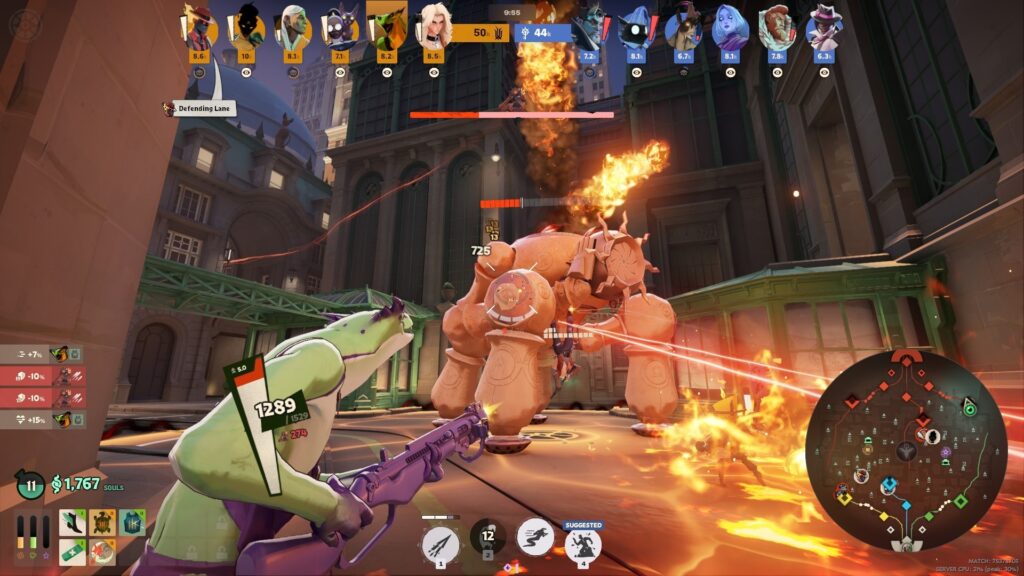
A great tactic for beginners is to time their Ultimate abilities. These abilities can change the tide of battle, but often have long cooldown timers. When taking a key objective or when a huge teamfight breaks out, coordinate and use your ultimates together for significant damage.
For example, the hero Seven has an Ultimate called Storm Cloud, which deals damage to all enemies in a 10-meter radius. Combine it with Vyper’s Petrifying Bola, which explodes to deal damage to all enemies in an 8-meter radius and slows them down.
Team Coordination & Roles
Coordinating in a Deadlock match was more challenging with the map’s four lanes (back when the 4 lanes were York Avenue (Yellow), Greenwich Street (Green), Broadway (Blue), and Park Avenue (Purple)). Since early 2025, Deadlock’s The Cursed Apple map now has three lanes, making it much easier to split a team of six into two players per lane.
Proper communication remains key to victory. Coordinate with your team to discuss which players start in which lanes. Choose heroes that complement each other, such as a hero who can take a lot of damage and function as a tank, like Abrams, paired with a damage dealer like the explosive Infernus.
While there are no distinct hero roles in Deadlock, some characters are better-suited for specific playstyles due to their three abilities and ultimate skill. For example, Haze is a stealthy assassin ready to chase down enemies and perform lane rotations, while Doorman is all about map control, and Lash will initiate a fight, diving straight into melee range.
Avoid venturing off alone unless you are on a roaming mission. Stick with your team to complete objectives, such as taking down a Guardian or Walker, securing a Soul Urn, or taking down an elite objective, for example, the Mid-Boss (more on this later).
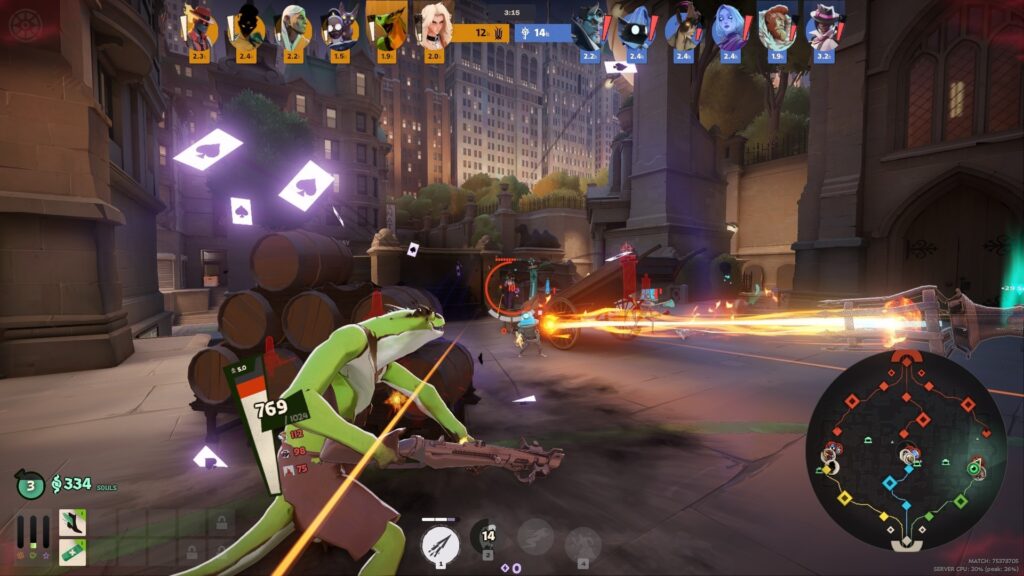
Always call out missing enemy heroes, and keep an eye on the minimap. You can also click on the minimap to ping a location, or draw a line to indicate where you are heading.
Buildings & Map Objectives Order
In a standard Deadlock game, the path to victory is clear: Push through the lanes and destroy the enemy Patron.
Teams will follow the standard objective sequence, destroying defensive buildings/statues (aka automatrons) along the way. Check out the key objectives to victory, listed in order below.
- Guardians
- Walkers
- Base Guardians
- Shrines
- Patron
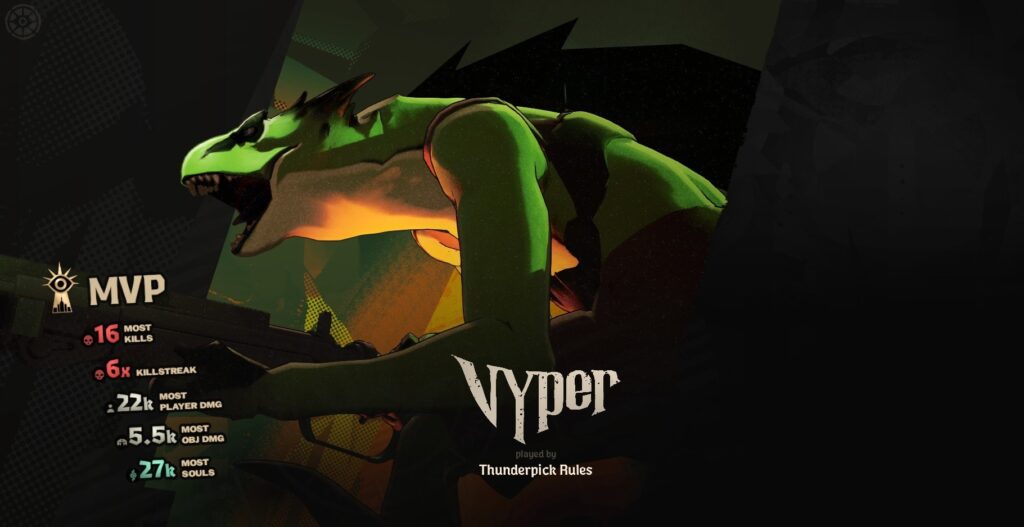
Each lane has a Guardian, a Walker, and ends with players fighting a pair of Base Guardians. Once past the Base Guardians, you’ll destroy two Shrines to make the Patron vulnerable. When the Patron is vulnerable, it deals 30% more damage. Kill the Patron, and win a match of Deadlock. If you deal enough damage, you might get named the MVP, as we did with the Vyper hero.
The Mid-Boss & Rejuvenator Crystal
There is one more primary objective we haven’t mentioned yet. While it isn’t an absolute must to complete, there’s little chance of winning a match without it. Introducing the Mid-Boss, also known as the Temple Guardian. It looks as if it were summoned straight from Cthulhu mythos! The Mid-Boss spawns at the 10-minute mark.
Its location is the center of the map, in the underground sewer area. You’ll hear a loud roar as it spawns, and your Patron will announce its arrival. Efficient teams will already start grouping in the middle 30 seconds before the Mid-Boss spawns, since it grants a Rejuvenator Crystal, which can turn the tide of battle.
Once you defeat the Mid-Boss, the Rejuvenator Crystal descends to the ground (takes six seconds). Once on the ground, players can hit it with heavy melee attacks to heal themselves and break it to grant the Rejuvenation Credit buff to their team.
The Rejuvenation Credit buff gives players the ability to revive with 100% of their health at the place of their death after three seconds. A team can have a maximum of three Rejuvenation Credits active, and each can be used only once per player.
Seven minutes after its first death, the Mid-Boss respawns. The respawn timer goes down to six minutes after its second death and 5 minutes after its third death. The Rejuvenation Credit buff is exceptionally powerful and lasts a total of four minutes. In that time, players can force a powerful push on critical objectives, such as Shrines, the Base Guardians, or the Patron itself.
Advanced Deadlock Gameplay Concepts & Strategies
You should now have a good time starting out and possibly earn some victories in The Cursed Apple. Now, we’ll share a few advanced Deadlock gameplay concepts and strategies to employ in various phases of the game.
Use Cover & Cosmic Veils Efficiently
When you see an incoming attack, especially an area-of-effect blast, get behind cover to avoid damage. Use walls, corners, and anything else you find on the map to block damage. Stay out of line of sight when in a defensive stance, since most abilities require sight of an enemy to use. If all else fails, attempt to parry a projectile with the F key.
There are also Cosmic Veils scattered throughout the map in Juke Rooms. These serve as one-way windows that do not block movement, allowing you to avoid being targeted. Use these to escape enemies.
Deny Trooper Souls
A crucial part of the laning phase is denying your enemy as many Souls as possible to gain a Soul advantage. When your Trooper is killed, you can shoot the dropped Soul Orbs before an enemy picks them up, thereby denying them resources.
This denial of Trooper Souls early in the game can snowball into a late-game advantage. After the laning phase, the Souls you deny will be added to your tally, thereby increasing the advantage of this advanced gameplay tactic.
Adapt Item Builds
Never become rigid with your item builds. The best way to build a full inventory of items is to tailor your item acquisition to your current situation.
If you are taking a lot of bullet damage, get items with higher resistance. A prime example is the Metal Skin item, which, when activated, makes you completely immune to bullets for a limited time. Running low on ammo? Get an item that boosts your ammo count.
Always keep the additional three Flex Slots in mind when planning your item build. As your team kills Walkers, you’ll unlock those item slots.
Earn Permanent Buffs
You can earn permanent buffs by breaking Golden Statues that are located throughout the map. Never miss the opportunity to gain additional ammo, health, or damage, since the buffs from Golden Statues last until the end of the game. While you’re at it, shoot crates to earn more unsecured Souls, break some Sinner’s Sacrifice vending machines, and pick up powerups whenever you spot them.
Employ Phase Strategies
A standard game of Deadlock is broken up into three distinct stages.
In the Laning Phase (early game), the team must focus on winning their respective lanes, gaining a Souls advantage by last-hitting enemy Troopers, denying the enemy Souls, and clearing early Denizen camps.
In the midgame, you’ll want to roam to pick off vulnerable enemies and claim the Mid-Boss and its Rejuvenator Crystal buff to push deeper into enemy territory. Then it’s time to get the Soul Urn objective to complete item builds as early as possible.
The endgame sees players push into the enemy base, taking out the two shrines to expose the Patron. You need to defend your buildings while initiating teamfights with the goal of gaining an insurmountable advantage to push for victory. Roaming around alone with enemy vision on you is not recommended during the endgame.
Deadlock Questions for New Players (FAQ)
We’ve answered some of the most frequently-asked questions that new Deadlock players ask online.
How Do I Join Deadlock?
The only way to join Deadlock currently is to receive an invite from Valve or another player who already has access. Join community forums, where you’ll find many players offering free invites. Never pay to playtest Deadlock.
Where Do I Play Deadlock?
The only place where you can play Deadlock is on Steam. PC is the only supported gaming platform, and the Steam Deck can work as a handheld option.
What’s The Primary Win Condition?
To win a match of Deadlock, your team must defeat the enemy’s Patron. For the faster-paced Street Brawl, the winning team reaches three points, which they earn by taking out enemy Guardians.
How Do I Earn Souls?
You can earn Souls in Deadlock by doing just about anything, from scoring last-hits on enemy Troopers and heroes to shooting orbs and clearing Denizen camps. Be on the lookout for crates and Soul Urns scattered across the map, which you can break to earn additional Souls.
What Are Flex Slots?
Flex Slots are additional item slots your team unlocks by killing Walkers (the 2nd objective in a lane). You can unlock a total of three Flex Slots in a standard Deadlock match. These slots are automatically unlocked in the fast-paced Street Brawl.
What If I Die With Souls?
You will drop any unsecured Souls (above 150) when you die. Anyone, including teammates and foes, can break the dropped Soul Urn and claim the unsecured Souls for themselves.
What Is The Best Way To Travel The Map?
To speed up the process further, you have a boost option (default key is F) while using a zipline. Use your zipline boost wisely, as there is a 6 minute cooldown. Players can also take Teleporters (next to the underground Secret Shops) to travel the map horizontally.
Which Items Should I Buy First?
The correct item combination depends on your chosen hero and the in-game situation. That said, most beginners should get the Spring Boots item first, which increases sprint speed and out-of-combat health regeneration, making it perfect for early-game engagements.
Can I Invite Friends?
Yes, once you have access to Deadlock, you can invite friends directly via the in-game menu. Click on the “Invite A Friend” button in the bottom-right corner of your screen.
Always practice Responsible Gambling and check out our latest promo offers and boosts. T&Cs apply. 18+ to play.